Step-by-Step Guide to Your First In-Home Care Helper
Learn how to prepare for your first in-home care Helper on Herewith and what to expect on your first day of care

How to prepare for your first in-home care Helper
Now that you’ve booked your first in-home care Helper, you might have questions about what to expect and how to prepare for in-home care to begin. We’ve put together a quick guide to help you ensure that everything is ready to go for a successful first Help Request with your Helper.
Step 1: Download the Herewith mobile app before your first day of in-home care
To prepare for your first in-home care Helper, first you’ll need to download the Herewith mobile app. For iPhones tap here or For Androids tap here.
With the mobile app, you can receive live updates while your Helper is working, letting you know when they’ve clocked in and out, send messages, and seamlessly manage your payments. We recommend taking a few minutes to explore the app before your Helper arrives for their first shift, so everything feels familiar and easy.
Have more questions about the booking process? Visit our easy guide to booking in-home senior care on Herewith.
Step 2: How to prepare for your Helper before the first day of care
Check your messages:
Log in to your Herewith account online or in the mobile app to check your messages and make sure your Helper has all the info they need for a first day of care.
Make a list of emergency contacts:
Make a list of contact phone numbers and any other important info they might need in case of an emergency. Post it somewhere easy to find, like the fridge or by the front door.
Prepare your loved one to meet the new Helper:
If you are hiring care on behalf of a family member, prepare your loved one for the Helper’s first visit by sharing with them the plan for the day and discussing any concerns they might have. You can also show them the Helper’s profile to help them feel comfortable and set expectations.
Step 3: What to do on your first day of in-home care
How you prepare for your Helper’s first visit may depend on if you’ve booked a Helper for a one-time task or if you’ve hired a Helper for ongoing help. Here are our tips for both types of Help Requests.
For Helpers doing one-time tasks:
- Make sure you’ve messaged your Helper with all the details they’ll need for the task. Some examples might include: a shopping list, a list of cleaning tasks, suggestions for companionship activities, etc.
- Let you Helper know if you have strict time constraints or if there are any other factors they need to take into account when doing their work
- Be sure to keep an eye on your phone and enable notifications so you can receive live updates when your Helper starts and ends their task
- After the task is completed and the Helper clocks out, you will have one hour during which you can review the hours they logged, confirm their attendance, and submit payment
For Helpers providing ongoing help:
Communicate clearly about tasks and essential information
Make sure you’ve messaged your Helper with all the information they need to provide great help and care for your loved one.
For example: a list of tasks to accomplish, some activities that your loved one enjoys, preferences/dislikes/habits to be aware of, and of course any care needs
Explain care tasks and where supplies are kept
If you’re able to be there in person, give them a tour of the space they’ll be working in, show them where any essential supplies are kept, review when medication reminders should be given, and share any additional tips or special routines that will help the day go smoothly
Keep tabs on care with live shift updates
Be sure to keep an eye on your phone and enable notifications so that when your Helper checks in for their first shift, you’ll receive a “Live Shift” notification.
Follow up with your Helper and loved ones about the first day of care
Chat with your Helper after the first shift to see if any questions came up. If someone other than yourself is the care recipient, take some time to talk with them about how they felt about the day. Remember, a new Helper can be a big change for everyone, and it will take a little time to adjust!
Review your Helper’s weekly timecards
On Herewith, we offer easy in-app payment. Review your Helper’s hours each week and make sure that you’re paying the right amount for your care. Learn more about paying for ongoing care on Herewith.
Still need help?
Call our Support team for further assistance.
Mon-Sat, 9AM-6:30PM PT
Related Articles

Find out how to download the Herewith app, plus learn the basics for convenient, on-demand senior care booking
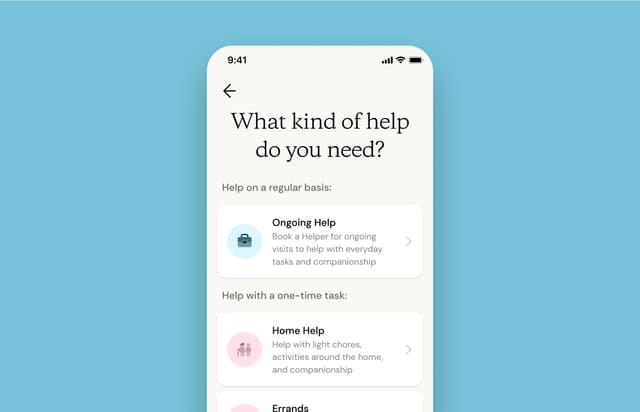
A step-by-step tutorial on how to make a Help Request, book, and rebook Helpers for caregiving services

Learn about tracking your Helper’s hours, updating your payment method, viewing past payments, and other payment FAQ


